Robotic arm with vision
What will you build when your robots can see?
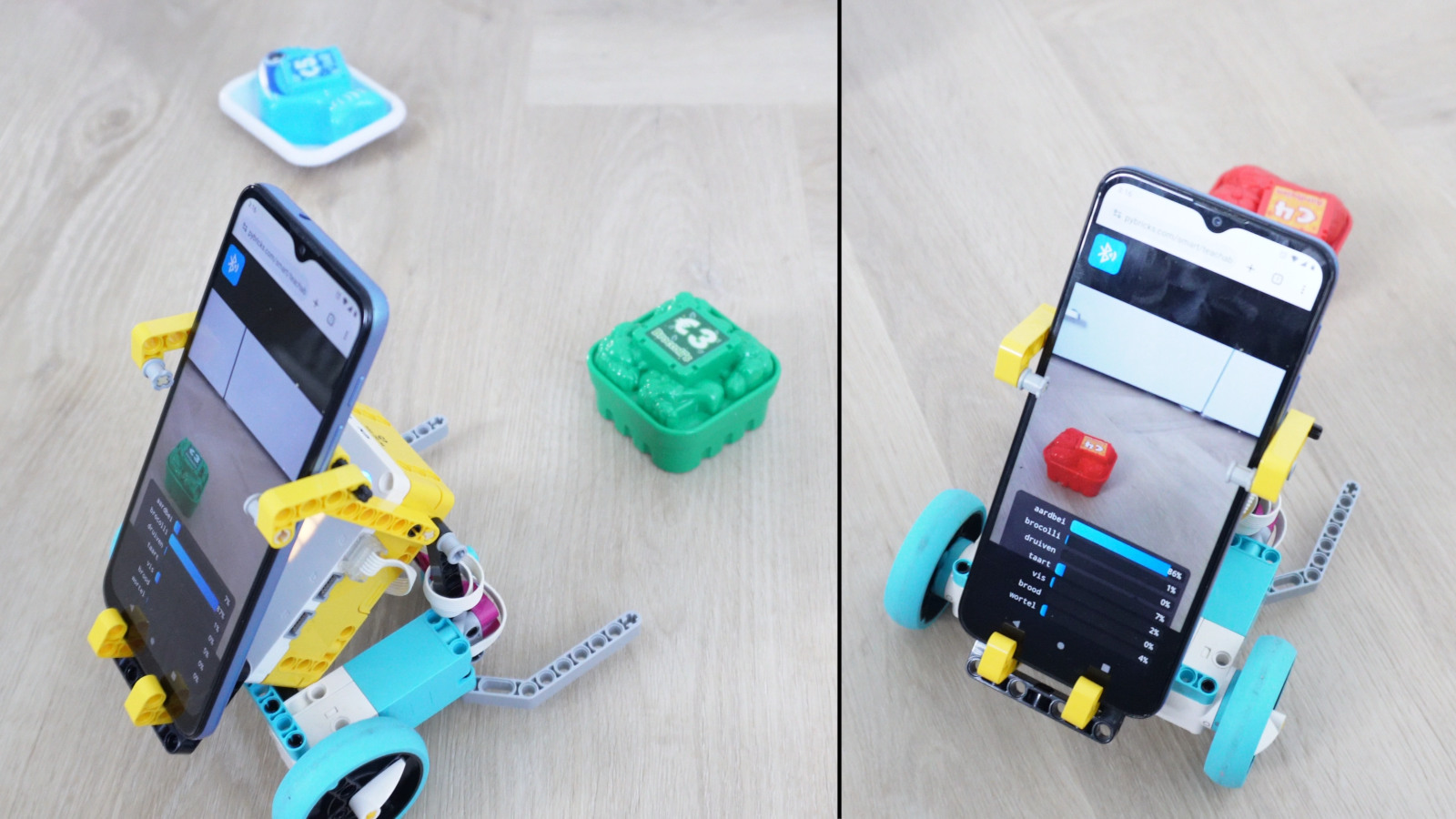
This project is a fun demo of our new smart sensor functionality. Your phone detects the position and size of a bright colored object, so your robot can find it and pick it up.
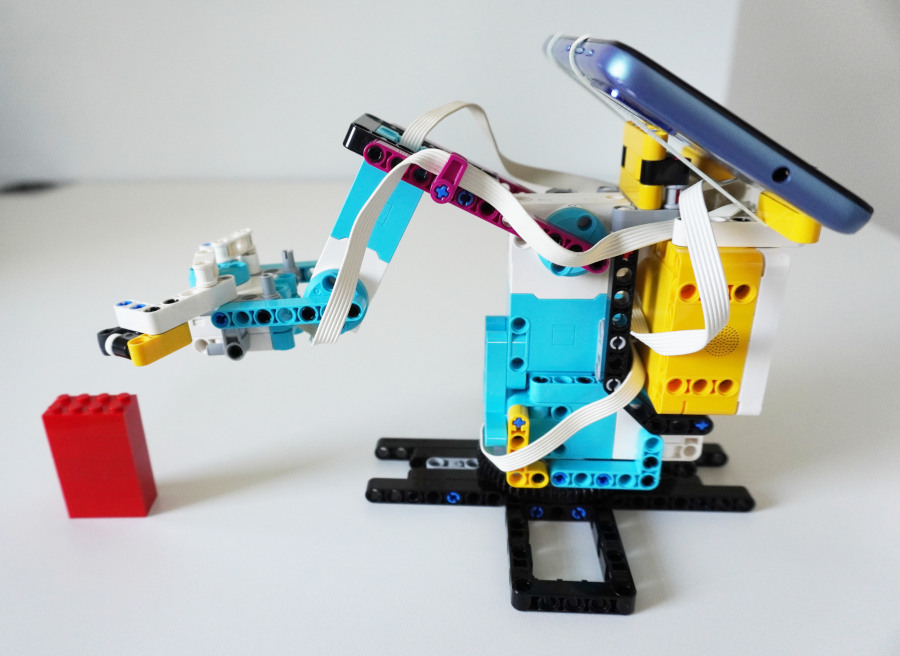
How does it work?
This project extends the basic demos from the smart sensor introduction guide, so be sure to try those first. Those examples use a single loop to process the received values and act on them, but this doesn’t always work well in bigger projects.
Instead, you can use a background task to process and unpack the sensor values into your variables. Then your main program can use the variables when needed, as shown below.
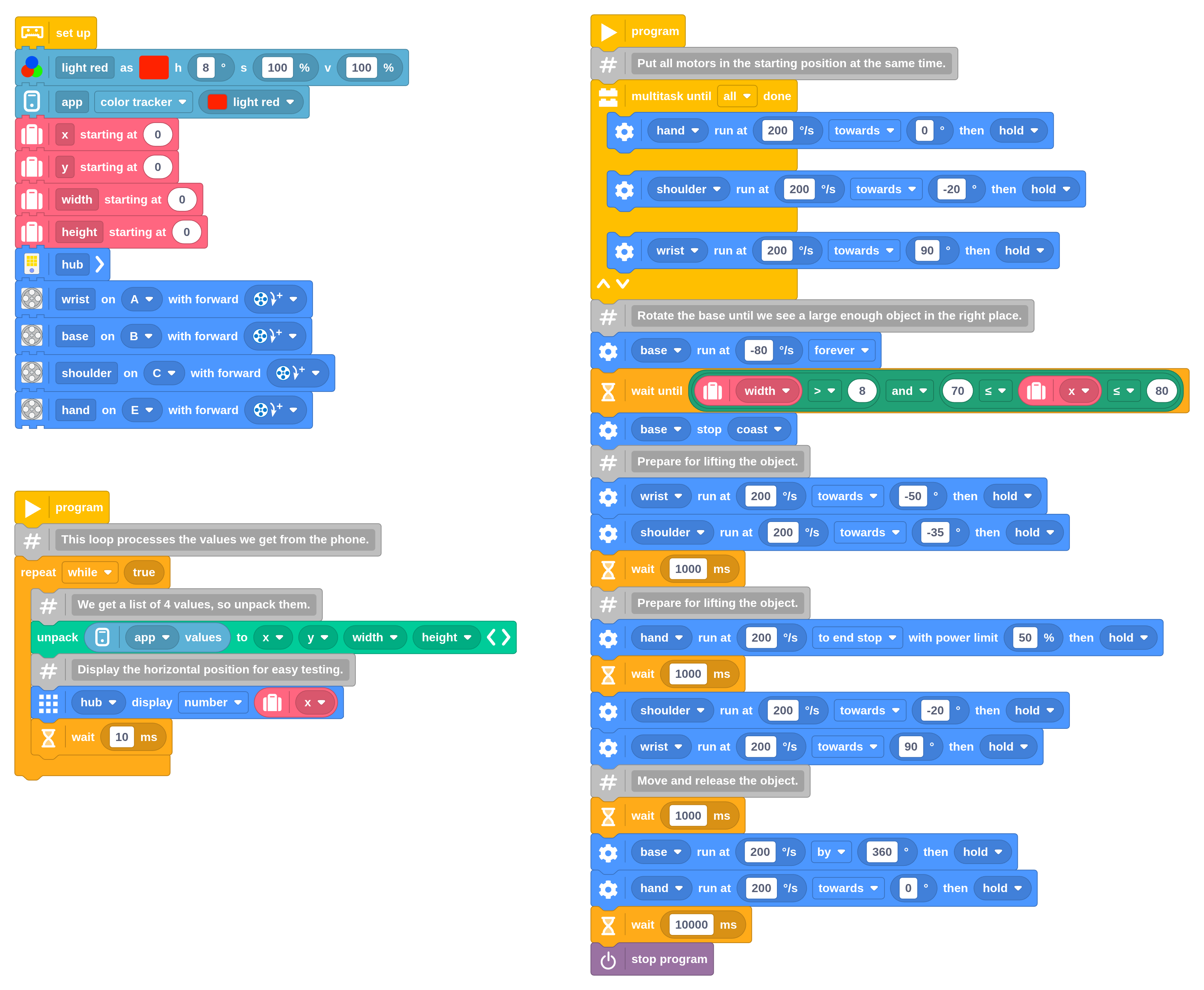
The main task can access the received values by just reading the variables. Here
the base keeps turning until your phone sees a colored object that is big
enough (width > 8) and in the expected position (70 < x < 80) for pickup.
This program also shows how you can adjust the color that the phone should try
to detect. With the default red color (hue=0), the magenta beams would
sometimes be mistaken for red. By choosing a higher hue as the reference
(hue=8), we look for colors that are slightly more orange than magenta.
This reduces the false positives, and the red object we’re looking for is still
well within range.
You can see the result in the video below.